Delegate management for corporate events, from invitation to arrival.

DelegateFlow is event registration software for the guest side of your corporate events: branded invitations and RSVPs, dietary needs and accommodation, a QR code check-in app for the door, and live figures for your team — designed to look after your guests’ personal data.

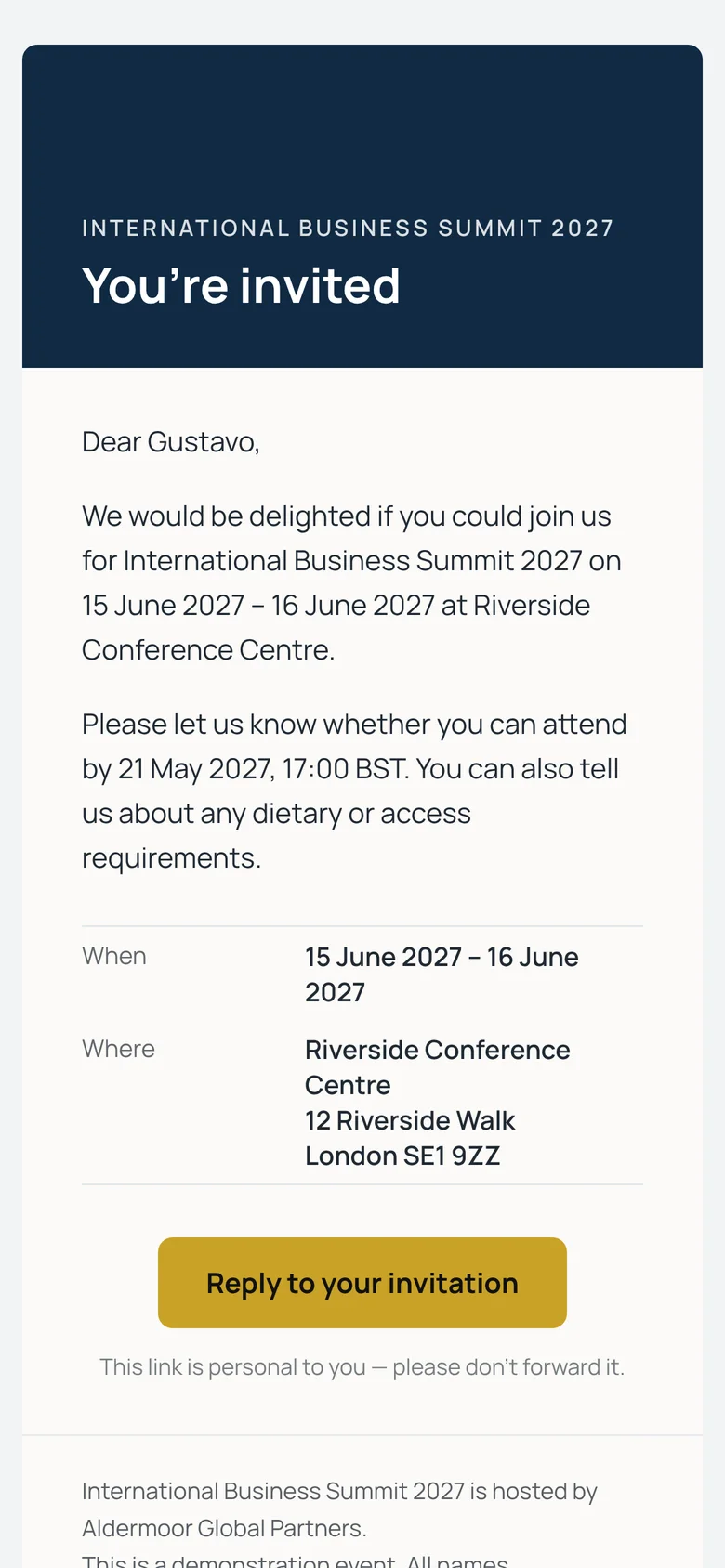
  1. A branded invitation email on a phone

    Invited

    A personal invitation in your branding.

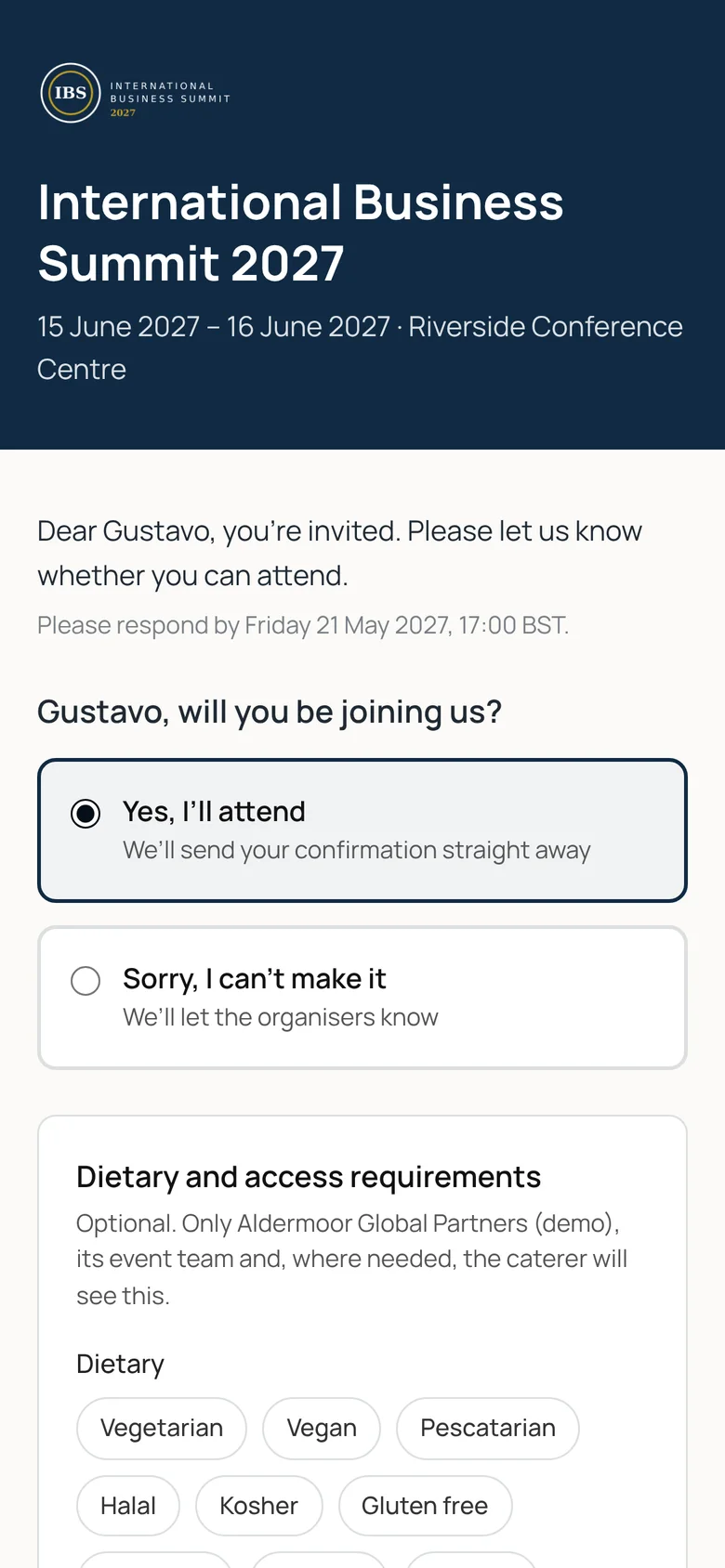
  2. The reply form on a phone

    Replies

    Attendance, guests, dietary needs and rooms in one short form.

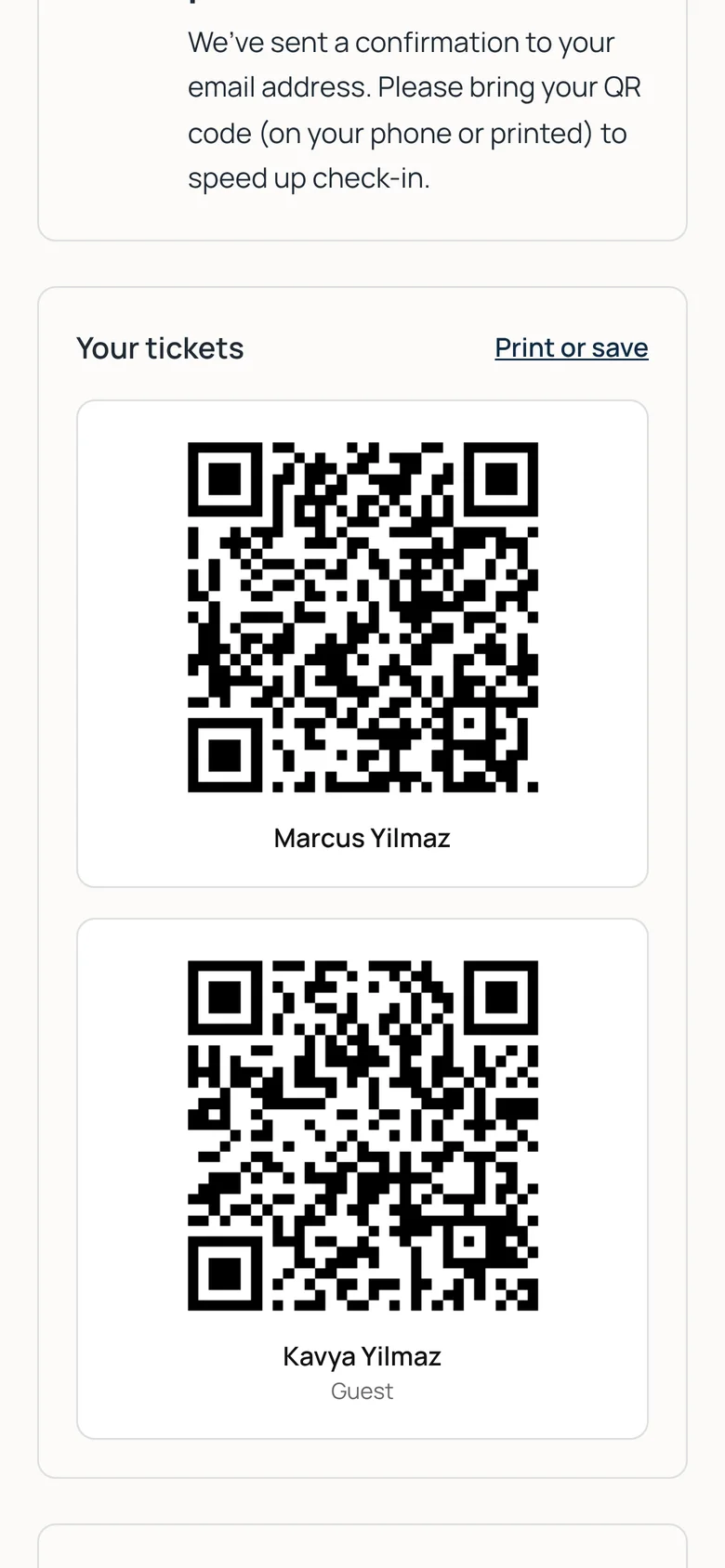
  3. QR tickets for a guest and the person they’re bringing

    Ticket

    A QR ticket for them and each guest, as soon as they accept.

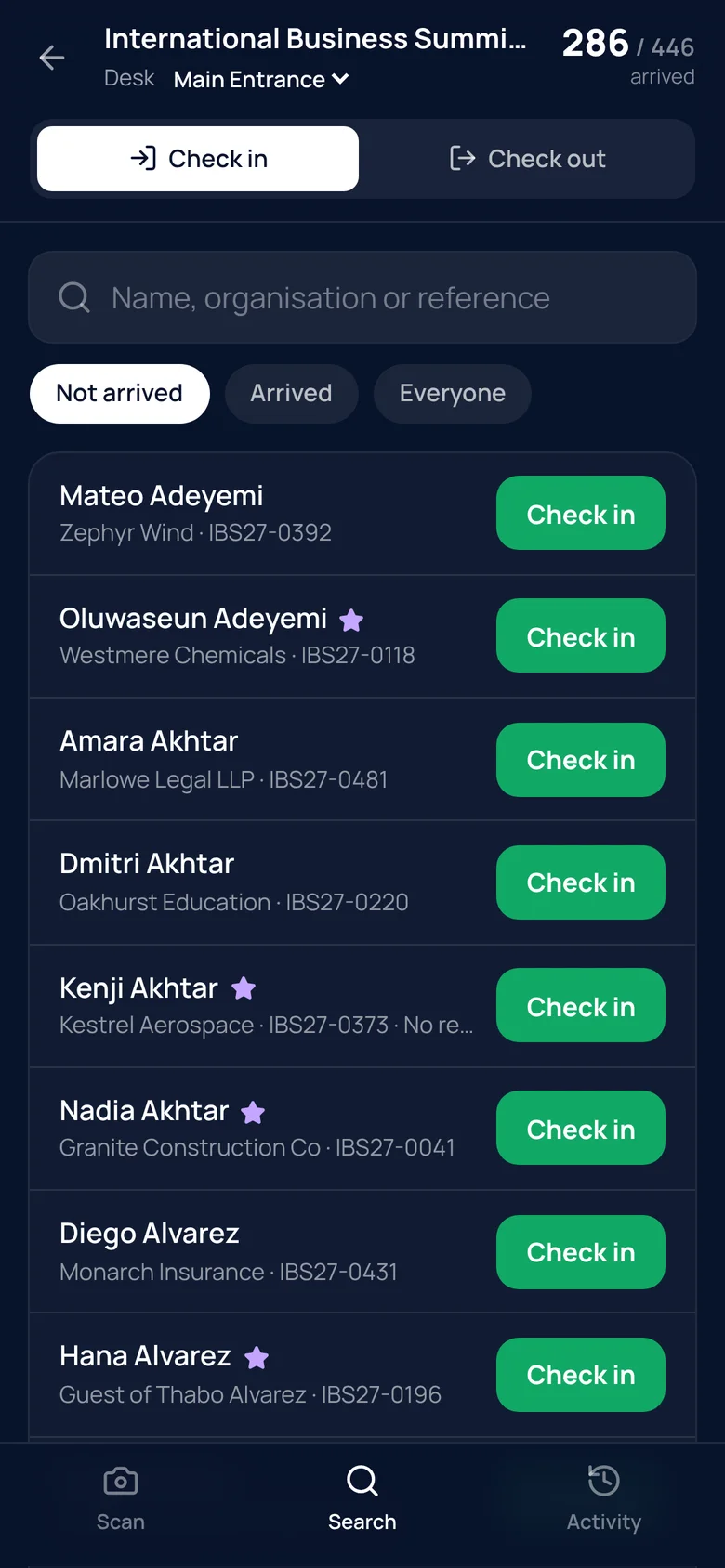
  4. The guest list in the check-in app

    On the door

    Your team scans tickets or searches by name on a phone.

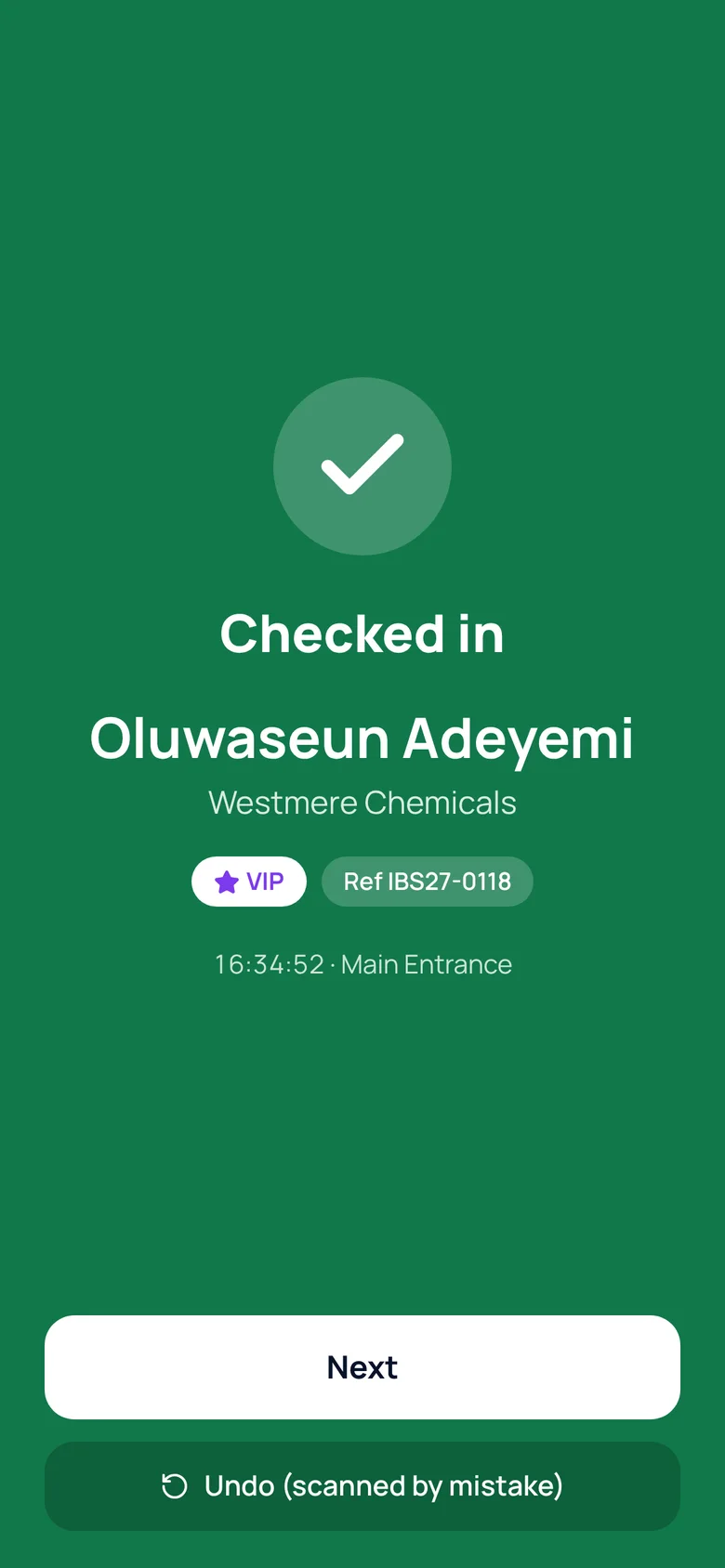
  5. A green checked-in confirmation

    Arrived

    Checked in, and the numbers update live.

Screens show the demonstration event. All names are fictional.

Everything between the guest list and the welcome desk.

Guest list and delegate management

Import your list from Excel or CSV. DelegateFlow matches the columns, flags duplicates and shows exactly what will change before anything is saved. Then send invitations and reminders from templates in your branding, straight away or on a schedule.

  • Replies, guests and VIPs at a glance
  • Scheduled reminders to people who haven’t replied
  • Your own questions, including ones that only appear after a certain answer
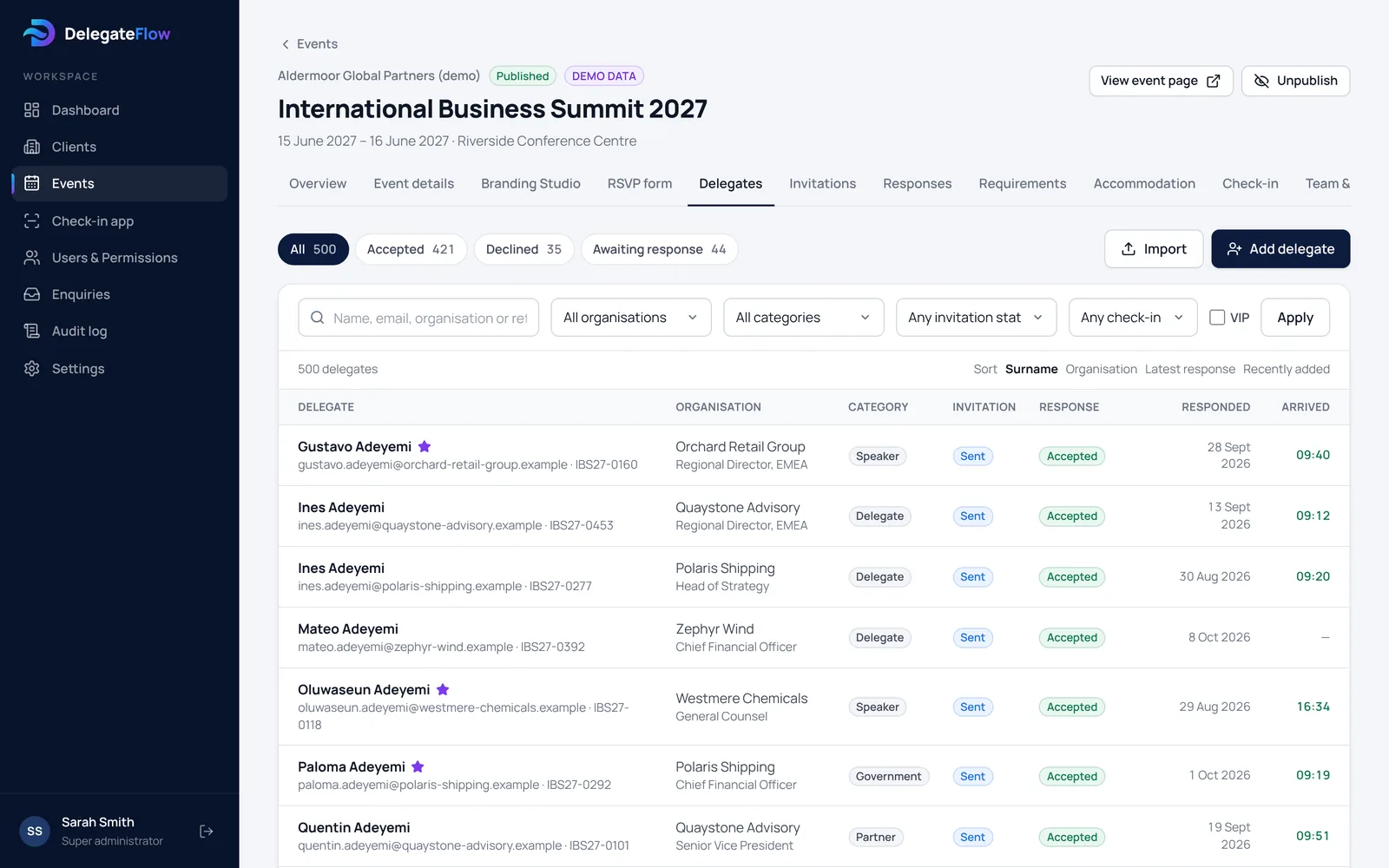
More about delegate management
The guest list with replies, categories and arrival times

Branded registration pages and invitations

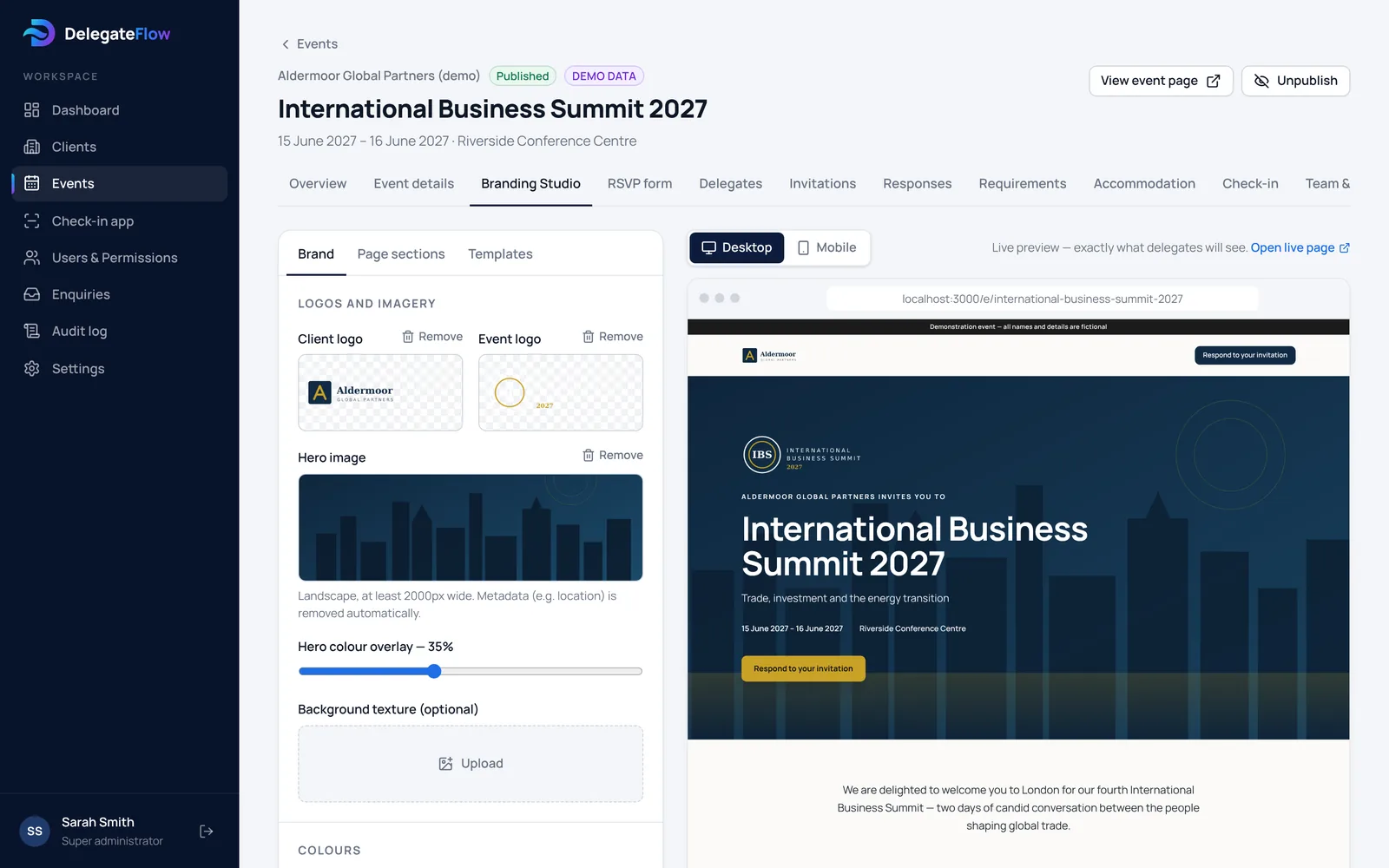
Each event gets its own registration page and emails with your logo, colours and fonts. Preview desktop and mobile side by side while you work.

  • Logos, colours, fonts and imagery
  • Programme, speakers, venue and travel sections
  • Contrast checks so text stays readable
More about registration and RSVPs
The Branding Studio with a live preview of an event page

Dietary requirements and accommodation

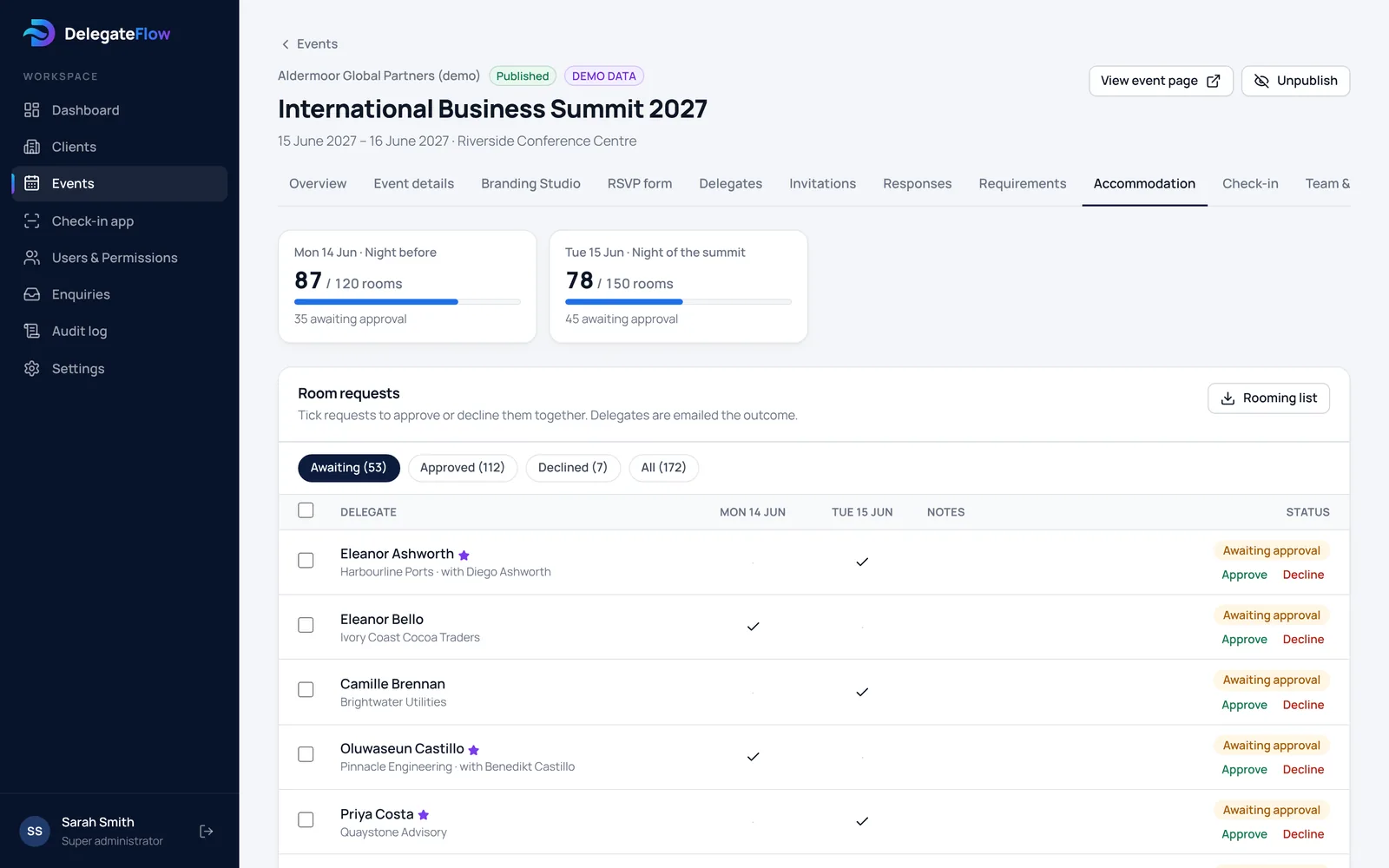
Guests tell you about dietary and access needs, with a consent tick if you’d like one, and choose the nights they need a room. Rooms can be confirmed automatically, by you, or by a colleague you nominate — and the hotel gets a tidy rooming list.

  • A caterer list with only what the caterer needs
  • Room limits per night against your hotel block
  • Approve or decline in bulk, with guests emailed the outcome
More about accommodation
Accommodation requests with rooms per night and approvals

Live reports for colleagues and stakeholders

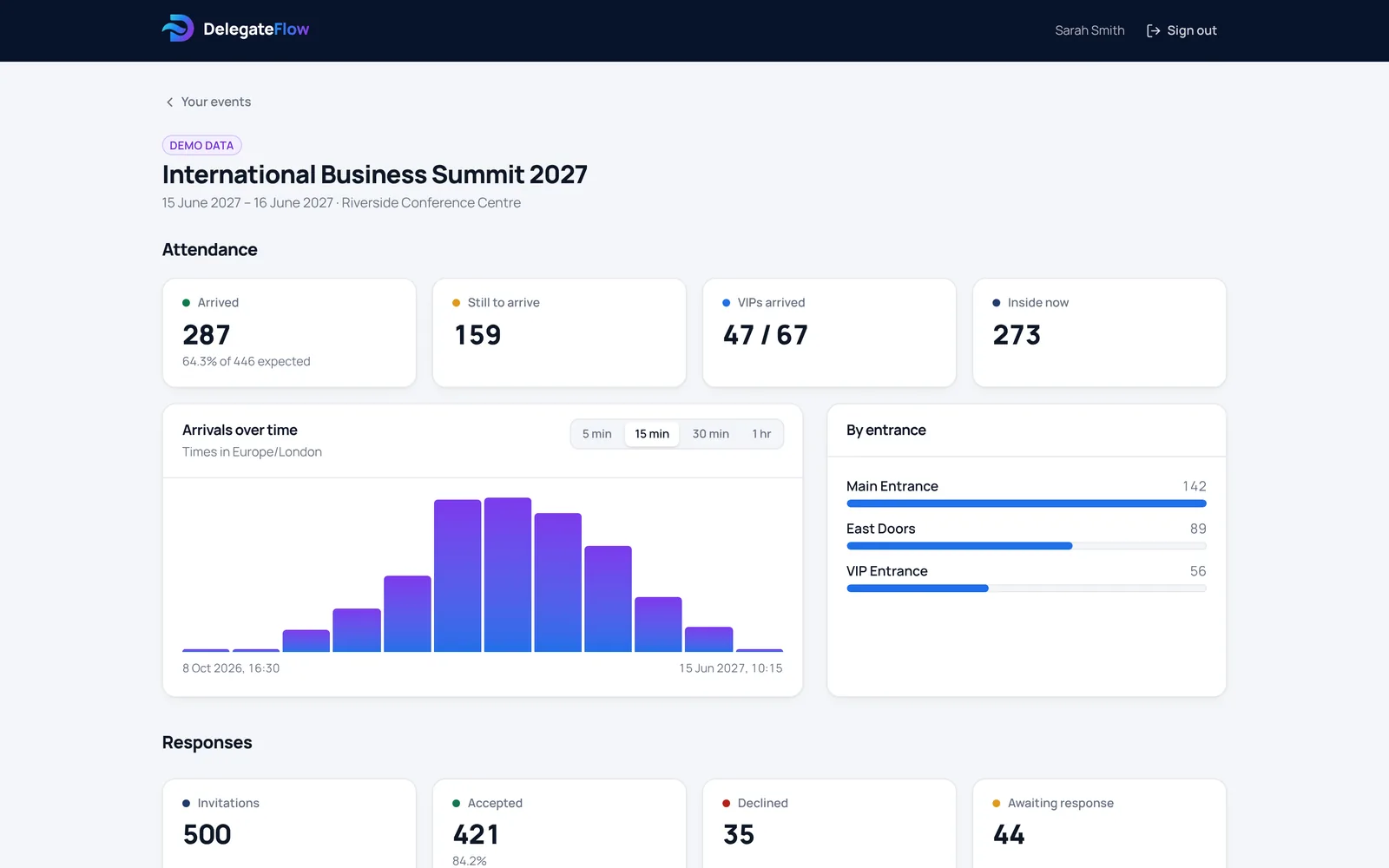
Give colleagues and stakeholders their own view: replies as they arrive, the guest list, rooms to approve, and arrivals on the day — live, by entrance and over time.

  • Live arrivals on the day
  • Guest list downloads
  • Only what you choose to share
More about delegate management
A reports view showing live attendance

A QR code check-in app your door team will understand

Point a phone at a ticket, or search by name. A full green screen means in; amber means already here. Two people scanning the same ticket at the same moment still records one arrival, and a mistaken scan can be undone without losing the history.

  • Runs in the browser on a phone or tablet
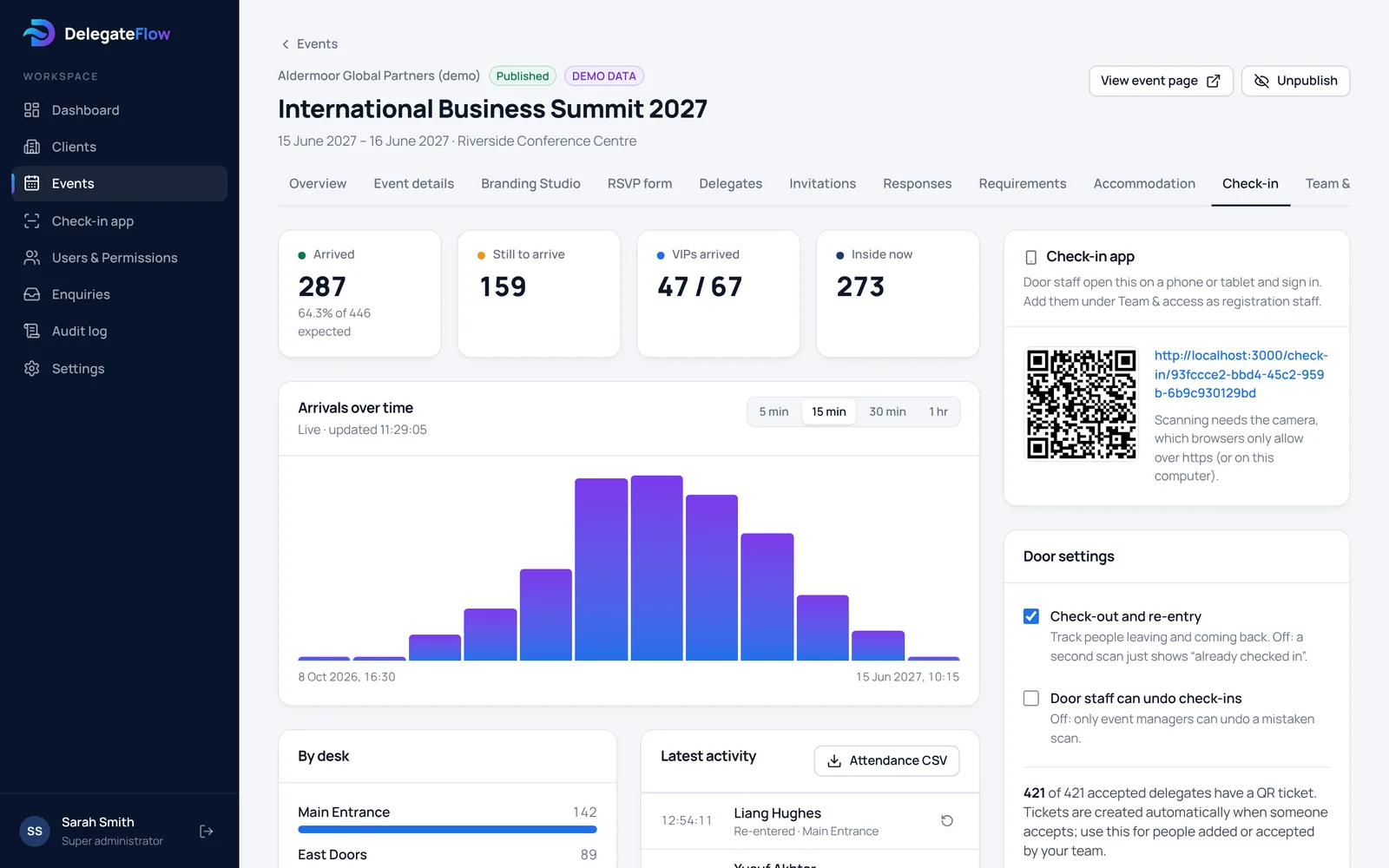
  • Several entrances, each with its own count
  • Check-out and re-entry when you need them
More about the check-in app
Live arrivals over time and by entrance

Event registration designed around UK GDPR.

Guest lists hold names, employers and sometimes health information. DelegateFlow is designed so the right people see the right things, and nobody else.

How DelegateFlow protects guest data
Each organisation walled off
Every organisation’s events and guests are separated by the database itself, not just hidden on screen, and this is checked by automated tests.
Two-step sign-in
Organisers, their colleagues and our team sign in with a password and an authenticator app. Door staff, who only see the door list, use a password.
Dietary and access details protected
Ask for consent before they’re stored and keep them out of sight until someone needs them. Each time your team opens them, it’s recorded.
You decide what’s shared
You choose, event by event, whether colleagues with a reports view can see the guest list and individual requirements.
Links that can’t be guessed
Each guest gets their own long, random link and ticket. The database only holds a fingerprint of each one, so a copy of the database wouldn’t give anyone working links.
A full audit trail
Sign-ins, exports and changes are recorded in a log that can’t be edited.
Door staff see the minimum
The check-in app shows names, organisations and arrival status. No email addresses, phone numbers or requirements.
Your data, your instructions
You stay in control of your guests’ data. We only process it on your instructions, under a data processing agreement.

Let us run it, or run it yourself.

We run it for you

Eureka Events’ team sets up the pages, manages the guest list, sends the invitations and can run check-in on the day. You follow every reply and arrival in your own view, and approve rooms if you’d like to.

  • Our team can run your door on the day
  • Your own view with live figures and the guest list
  • One point of contact for everything

Run it yourself

Your team gets the full toolkit for your events: guest lists, branding, invitations, rooms and check-in. Add colleagues and door staff yourselves, with Eureka Events’ team available if you need help.

  • Create events whenever you need them
  • Your people, your permissions
  • Help from Eureka Events’ team when you need it

Questions people ask

Do guests need to download anything?

No. Invitations, replies and tickets all work in an ordinary email and web browser. Tickets can be shown on a phone or printed.

What does the door team need?

A phone or tablet with a camera and an up-to-date browser. The check-in app can be added to the home screen, and staff can also check people in by name.

Can guests bring someone with them?

Yes. You set how many guests each person may bring. Each guest gets their own ticket and is checked in separately.

Who can see dietary and access information?

Your event team, and your caterer through a list that leaves out everything they don’t need. Colleagues with a reports view see totals unless you choose to share the details.

Where is the data kept?

With our database and hosting providers, Supabase and Vercel, encrypted in transit and at rest. They only process it on our instructions.

How is it priced?

It depends on how many events you run and whether you’d like Eureka Events’ team to run them for you. Book a demo and we’ll talk it through.

See it with your next event.

We’ll walk you through an event from invitation to arrival, and show you how it would work for yours.

We’ll only use these details to reply to you. See our privacy notice.